attaching a raspberry pi to my exercise bike for fun
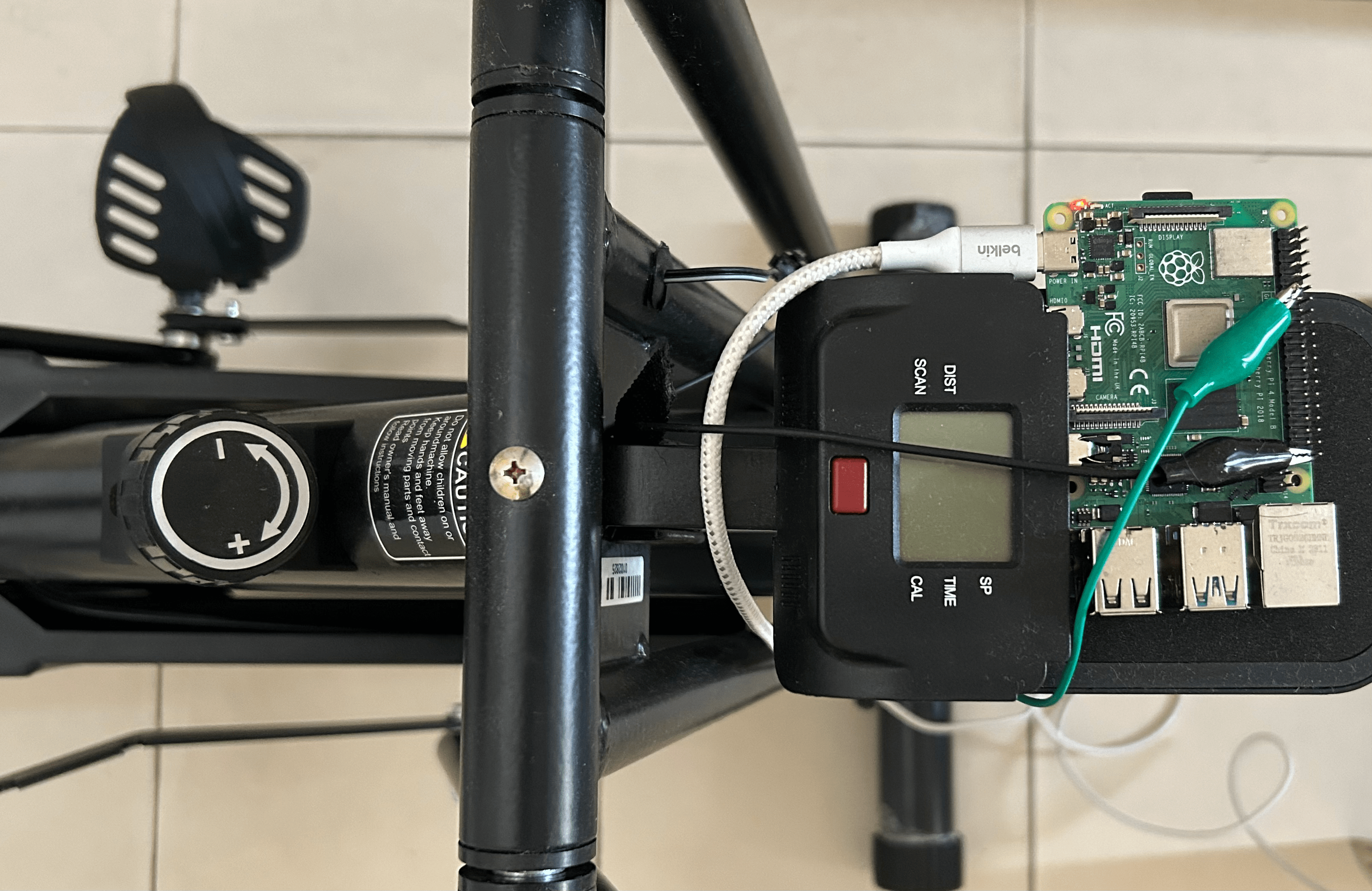
A few weeks ago, I purchased an in-house exercise bike to fix my sedentary lifestyle. I figured I could attach a small Raspberry Pi to it and make it more lively!
firstly why?
The bike has a built in metrics dashboard to show things like distance, instantaneous speed, calories, etc. I wanted to sync this data with my Apple Health stats. I usually take my phone on all my walks so it is already counting the steps. It would be nice to combine the view of cycling + steps.
There are a few more sane ways to do this:
- Get an Apple Watch: I don't exactly like the aesthetics of it, and the price seems too high.
- Get an Android based watch: Such watches typically have their third party iOS apps that sync data with Apple Health via the HealthKit API. Now this is actually pretty legit and these watches are usually pretty inexpensive. But doing it by yourself is just more fun!
figuring out the hardware stuff
Now look, I didn’t know where to begin. I had an end goal in mind and I knew I could write any kind of software. But I’m a hardware noob.
My friend @clearlysid, on the other hand, has always been keen on this kind of tinkering. So I called him up and we started jamming together.
Thankfully, the default metrics dashboard of the bike is detachable. We popped it out, opened it up, and found that it’s basically a tiny microcontroller with a small display.
The bike connects to this microcontroller via a two-conductor wire. Sid pointed out that we could break this two-conductor wire into two parts and attach them to the GPIO pins of the Raspberry Pi we had lying around!
We also needed a way to power the Pi. Thankfully, I had an old power bank that I could repurpose, and that kept the whole thing neat and portable.
how does this wire even work?
The two-conductor cable is connected to a reed switch sitting next to the flywheel. Every time the flywheel completes one full revolution, a magnet passes by the reed switch and it quickly closes and opens. That tiny blip in voltage is what the dashboard counts as “one revolution.”
So in principle: 1 pulse = 1 revolution.
From that, all the other metrics are derived:
- Distance = revolutions × circumference of the flywheel
- Instantaneous speed = circumference ÷ time between two pulses (× 3.6 to get km/h)
- Calories = function of body weight, moving time, and intensity (MET tables)
Pretty neat that all of cycling can be reduced to a simple on/off switch.
talking to the gpio
We wrote a small program that listens for these pulses on Raspberry Pi GPIO pin 17 using libgpiod. Every falling edge on the pin is treated as one revolution.
At first, we saw a ton of duplicate signals. Reed switches bounce! So we added a small debounce check (ignore anything faster than 10ms). That immediately cleaned things up.
Once that was done, we were able to print out values like:
rpm= 75.0 speed= 24.10 km/h dist= 0.812 km time= 120s kcal= 60.3 revs=256
building an api
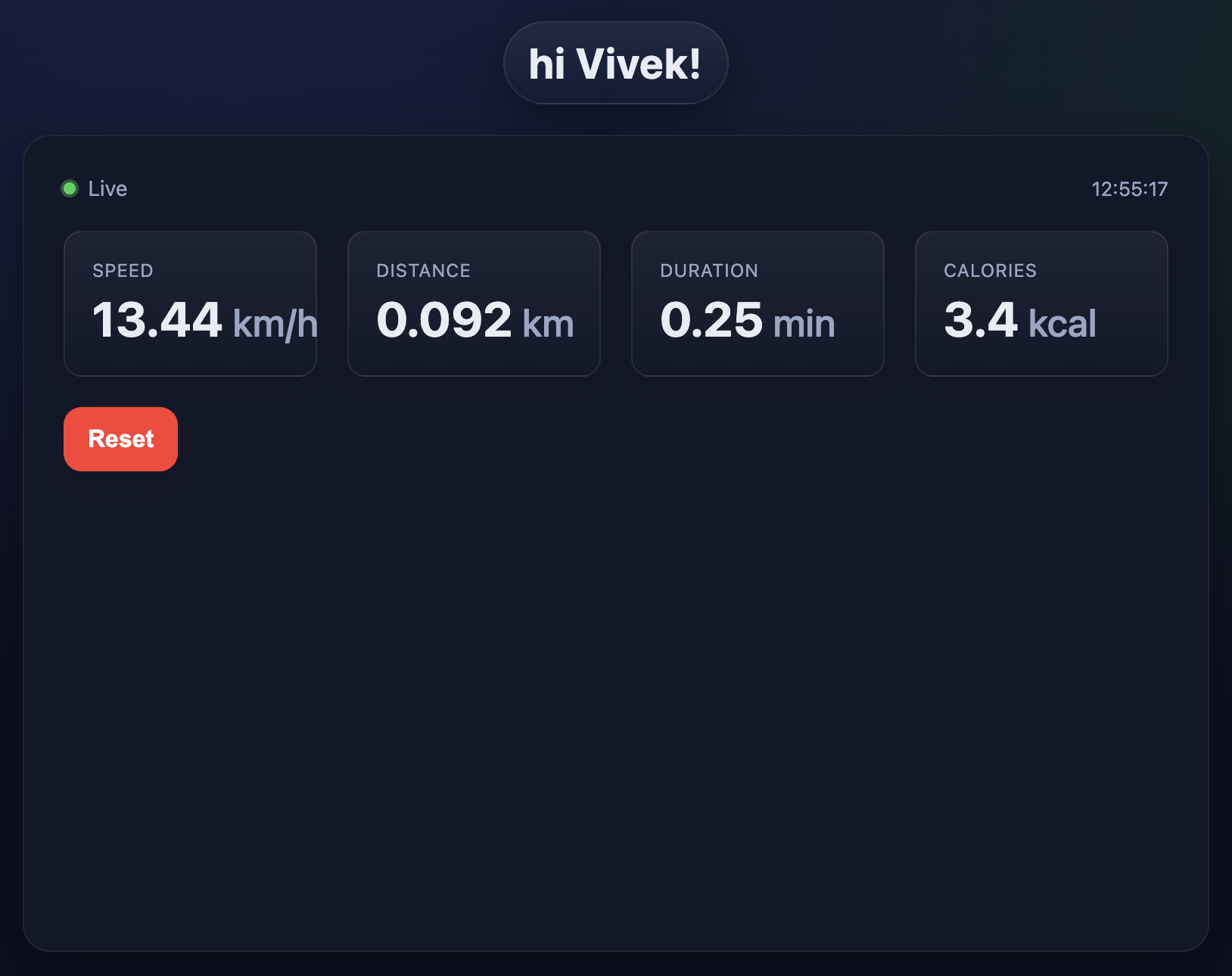
Instead of just printing numbers to the console, I wanted to expose them. So, I turned my program into a HTTP server.
And now, we have a small web UI like this:
syncing with apple health
Now for the fun bit. iOS apps can’t call HealthKit APIs from the browser, but Apple Shortcuts can. So I built a Shortcut that:
- Fetches the Pi’s /api/v1/stats JSON.
- Logs a cycling workout into Health with the same distance, duration, and calories.
With one tap on my phone, my workout is now in Apple Health alongside my step count.
ideas for the future
Games: we could use pedalling data as source for running some racing games.
Music: the humane randomness in pedalling stats could probably lead to interesting signals for music generation too.
If you're interested in the code, it is all open-sourced here: https://github.com/viveknathani/vital
<- back to home